A reliable home network is essential for browsing the web, streaming media, and working from home effectively. Optimizing your network involves strategic placements of routers, managing device connections, and regularly updating firmware. Small adjustments can significantly enhance speed and reduce interruptions, ensuring a seamless online experience.
Understanding basic network configurations can significantly improve performance. The right setup can minimize signal interference and extend coverage throughout the home. With these tips, users can unlock the full potential of their internet service and enjoy a more efficient digital environment.
Exploring these optimization techniques will empower anyone to take control of their home network. Whether it’s for personal use, remote work, or entertainment, an optimized network leads to a much more satisfying online experience.
Understanding Home Network Basics
A home network allows devices to connect to the internet via an Internet Service Company, enabling seamless communication between devices within the household.
Understanding key components like routers, modems, and switches is essential for optimizing network performance and reliability. Proper configuration and maintenance of these components ensure faster speeds, secure connections, and smooth interactions, enhancing the overall functionality of the network.
Types of Connections
There are several types of connections used in home networks. The most common include:
- Wired Connections: These use Ethernet cables to connect devices directly to a router or modem. Wired connections typically offer faster speeds and lower latency than wireless options.
- Wireless Connections: This method employs Wi-Fi signals to connect devices. Home networks often operate on two frequency bands: 2.4 GHz and 5 GHz.
- 2.4 GHz is better for covering larger areas but may experience interference from other devices.
- 5 GHz provides faster speeds and lower interference but has a shorter range.
Choosing the right connection type depends on specific needs, such as speed requirements and the layout of the home.
Modem vs. Router
Understanding the distinction between a modem and a router is critical for a home network setup.
- Modem: This device connects to the Internet Service Provider (ISP) and provides the Internet connection to the home network. It typically supports broadband technologies, such as cable or DSL.
- Router: A router connects to the modem and distributes the internet connection to various devices within the network. It can be wired or wireless, facilitating connections for multiple devices efficiently.
Typically, users find combined modem-router devices, which simplify setup. Understanding both components ensures effective management and optimization of the home network, allowing better performance and connectivity.
Setting Up for Optimal Performance
Achieving optimal performance in a home network involves careful consideration of device placement, understanding frequency bands, and adjusting network settings. Each of these elements plays a critical role in ensuring strong connectivity and overall user satisfaction.
Placement and Signal Strength
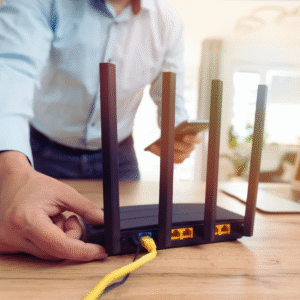
The location of the wireless router significantly impacts signal strength. It should be positioned in a central location within the home to maximize coverage. Walls, furniture, and appliances can obstruct signals, so avoiding placement near these obstacles is essential.
A common recommendation is to elevate the router, ideally on a shelf or wall mount. This setup reduces interference and enhances range. Additionally, checking signal strength using a Wi-Fi analyzer app can help identify weak spots that may require attention.
When it comes to connected devices, limiting the distance from the router can improve performance. If certain areas still experience weak signals, consider adding Wi-Fi extenders or mesh systems to enhance coverage.
Frequency Bands Explained
Most routers operate on two primary frequency bands: 2.4GHz and 5GHz. Understanding these bands helps users optimize their devices for specific needs.
The 2.4GHz band offers a longer range but lower speeds. It is suitable for devices that don’t require high bandwidth, such as smart home gadgets and IoT devices. Typical speeds can range from 20 to 100 Mbps, depending on multiple factors.
In contrast, the 5GHz band provides faster speeds and reduced interference but covers a shorter distance. This band is ideal for activities that demand high bandwidth, like gaming or streaming. Speeds can exceed 400 Mbps, making it a preferred choice for modern devices.
Users can manually select the frequency on their connected devices to get the best possible performance.
Adjusting Network Settings
Modifying router settings can significantly enhance network performance. Changing the default SSID to a unique name may improve security and help manage multiple networks in the area.
Enabling Quality of Service (QoS) settings prioritizes bandwidth allocation for critical devices. For example, streaming devices or work-from-home setups can be given priority over less critical applications.
Regularly updating the router firmware is also crucial for security and performance enhancements. Most routers allow for automatic updates, simplifying the maintenance process.
Finally, users should consider reviewing their channel settings. Switching to a less congested channel can reduce interference from neighboring networks, improving overall performance.
Enhancing Your Internet Experience
Improving the internet experience at home involves addressing both common connectivity obstacles and ensuring that devices function optimally through effective management. With the right strategies, such as using Antennas and signal boosters, users can significantly boost their internet performance.
Overcoming Common Obstacles
Many people face issues such as dead zones and inconsistent connectivity. Identifying dead zones requires conducting a speed test throughout the home. Users can strategically place access points or Wi-Fi extenders to eliminate these weak signal areas.
Common solutions include:
- Repositioning the Router: Position the router in a central location for better coverage.
- Reducing Interference: Keep the router away from electronic devices that may disrupt the signal.
- Using Wired Connections: Where possible, connect devices directly via Ethernet cables for more stable speeds.
By implementing these techniques, users can experience improved internet reliability.
The Role of Firmware
Modern routers rely heavily on firmware for optimal performance. Regular firmware updates are crucial as they improve functionality, fix bugs, and enhance security. Manufacturers release these updates periodically, often addressing performance issues that can affect internet speeds.
Key points to consider:
- Automatic Updates: Many routers allow for automatic updates. Users should enable this for convenience.
- Manual Checks: It is advisable for users to periodically check the router’s settings to ensure they have the latest firmware installed.
- Accessing Firmware Updates: Users can typically find firmware updates on the manufacturer’s website or through the router’s administrative interface.
Keeping firmware up to date can lead to a noticeably smoother internet experience.
Advanced Home Network Considerations
Considering upgrades and network layout can greatly enhance internet performance. This section examines new technologies and optimizations like creating a mesh network that can contribute to a more reliable and stable connection.
Upgrading to New Technologies
Upgrading the router is essential for optimizing home networks. New router technologies, like Wi-Fi 6, offer improved speed and capacity. These routers handle more devices simultaneously and maintain a stable connection even with heavy usage.
While upgrading, it’s beneficial to use wired connections where possible. Ethernet cables provide a faster and more reliable connection than Wi-Fi. For devices that require high bandwidth, such as gaming consoles or streaming devices, a wired setup is ideal.
Regular firmware updates on the router also enhance security and performance.
Creating a Mesh Network
A mesh network consists of multiple access points working together to extend coverage throughout a home. This setup eliminates dead zones, ensuring a stable connection in larger spaces.
When installing a mesh network, positioning is crucial. Access points should be placed strategically to ensure overlapping coverage. Devices connected to a mesh network benefit from seamless transitions between nodes without interruption.
Mesh systems often include user-friendly apps for management and monitoring. These provide insights into network performance and device status, facilitating user control over their home network.